

Sport
Get ready for kick-off.
Find start times and event-channel listings, then check the event you want during your trial.
Find sports fixturesLive TV. Sport. Movies. Series.
Choose a VUAH TV subscription for the screens you watch.

You watch through an app using your internet connection. Check the VUAH app for your device before choosing a paid plan.
See how VUAH worksSubscribe for 1, 3, 6 or 12 months. The price shown covers the full term.
Choose 1–5 connections for the streams you’ll play at the same time.
Ready to try it? The VUAH Telegram bot handles trials and purchases.
Explore live programmes, sporting fixtures and stories for your next evening in.
Find start times and event-channel listings, then check the event you want during your trial.
Find sports fixtures
Browse programme schedules and build a short list of channels to try.
Browse live TV
Find films by title and release year. Check the version, language and subtitles you want.
Browse movies
Browse series listings and check the seasons and episodes on your watch list.
Browse seriesDetailed listings open on Fixtavio, an external directory. Check VUAH availability during your trial. Illustrations do not represent specific programmes.
Choose how many screens will play at once. Compare the full-term totals below.
How many screens will be playing at once?
1 screen playing = 1 connection. 1 connection selected
£10.00 per month equivalent
1 simultaneous connection
£4.17 per month equivalent
1 simultaneous connection
£10.00 per month equivalent
1 simultaneous connection
£6.67 per month equivalent
1 simultaneous connection
Press Start if prompted, then choose your package in the bot’s menu.
Website choices are not transferred. You pay the full-term total in the bot.
Watching on one TV uses one connection. If someone starts watching on a second screen at the same time, you need two.
Choose enough connections for the streams you’ll play together. The subscription duration stays the same.
Choose the right connection count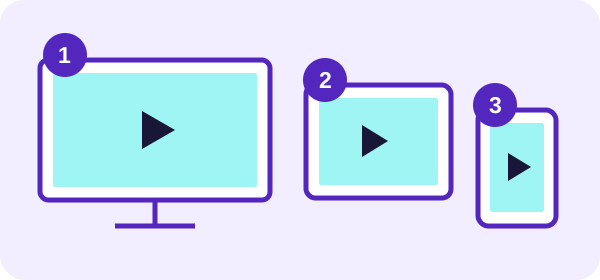
Have your viewing device and Telegram account ready.
Find your model, check your connection and confirm the app for your device.
Find your device guideTap Free Trial to open @Vuahcontrol_bot. Press Start if Telegram prompts you.
Use the bot’s menus. Check the trial length, eligibility and start time before you begin.
Read the trial checklistOpen the Telegram app and search for @Vuahcontrol_bot. Check the username before you continue. You can copy it below.
@Vuahcontrol_botIf you see the bot’s chat without a Start button, use the existing menus. Our trial guide has more help.

Check your model, update the software and test your connection. Our guides walk you through the preparation and common problems. Confirm the VUAH app for your exact device before buying.
Use your normal device and internet connection. Try the programmes you want, check the picture and sound, and see how the app feels to use.
Check the trial duration and eligibility in the bot before you begin.
Compare six prepaid credit packages from £50 to £1,500. See the balance, upfront price and cost per credit for each tier.
Find out what to consider when choosing a package, then start your enquiry in the VUAH bot.
Explore reseller packagesNeed a device guide or playback advice? Visit the help centre.
An internet connection, a viewing device and the right application for that device. Start with our device guides, then use a trial to check your setup and the programmes you want.
The large price is the GBP total for the full term shown. The monthly equivalent helps you compare durations; it is not a monthly instalment plan.
Choose your duration and connections again in the bot. Website choices are not transferred, so keep your preferred package in mind when you open Telegram.
Yes, within the connection count you choose. Two simultaneous streams need two connections. Check account location and device rules in the bot before purchase.
Check whether one stream or all video apps are affected. Our buffering guide helps you test the app, device and network in order.
Trials, purchases and reseller enquiries use @Vuahcontrol_bot. For an existing order or a setup problem, our support guide explains which details to have ready.
Try your setup, then choose a plan for the way you watch.