
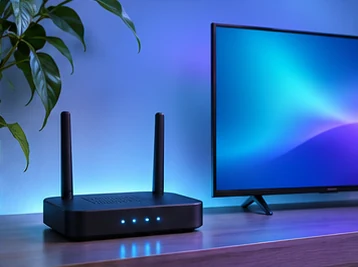
A cable can help when the link between your television and router is unreliable. It cannot repair an app, restore a missing title or make your internet provider faster. A simple comparison on the same screen can tell you whether wiring the television is worth the effort.
Make one fair comparison
Choose a programme that reproduces the problem and try it over Wi-Fi. Note the room, time and whether the picture pauses, drops quality or stops with an error. If your television or streaming device supports Ethernet, connect a suitable cable and check its network screen to confirm it switched to the wired connection. Replay the same item around the same time.
If wired playback is steady and the wireless test repeatedly fails, look at the distance to the router, walls in between and whether the device is tucked behind the television. If both tests fail in the same way, try a second app before moving the router or buying hardware.
When a cable is inconvenient
Move the router to a more open position if you can do so safely. Keep the television connected to your usual network and repeat the same test. A phone speed test beside the router only describes that phone at that spot. If your television has its own network test, use it there, or compare another device from the same room.
If you cannot run a cable, leave the equipment where you expect to use it during the trial. Moving a streaming stick next to the router for setup can hide a weak connection that returns as soon as you move it back.
Work through two common rooms
In a living room where the television stands close to the router, a wired test is usually simple if the television has an Ethernet port. Connect the cable temporarily, check the connection status and run the same playback test again. If both paths are steady, Wi-Fi may be perfectly practical. Keep the wired option available if conditions change when the household is busy.
In a bedroom far from the router, test a second device in the bedroom before deciding the television is at fault. Then try the same device nearer the router. If the issue follows the room, focus on coverage and placement. If it follows the television even in a stronger location, look at the television’s software, app and network capabilities. Keep any temporary cable out of walkways and avoid rearranging the whole network before you have a repeatable result.
What the comparison cannot tell you
A stable Ethernet result can narrow the issue to the wireless part of the setup, but it will not identify a specific source of interference by itself. A failed wired test also does not prove that the internet provider is at fault. The cable, router, television, app or programme may still need checking. Keep your report specific to the conditions you measured and give support a description they can repeat.
Keep a short record
Write down the device model, connection type, time and programme. If more than one household device was downloading an update or making a video call, repeat the test when those activities finish. Report the comparison to support, including what worked, rather than resetting the television first.
Work through the buffering guide